Features
Everything the service desk does, stop by stop.
Ironcare covers a dealer’s after-sales work from the first call to the verified invoice: the case and its Owner, the departments that do the work, the clocks, safety, quotes and credit, parts, the technician’s job card and the reports that show how it all went.
01
Cases and intake
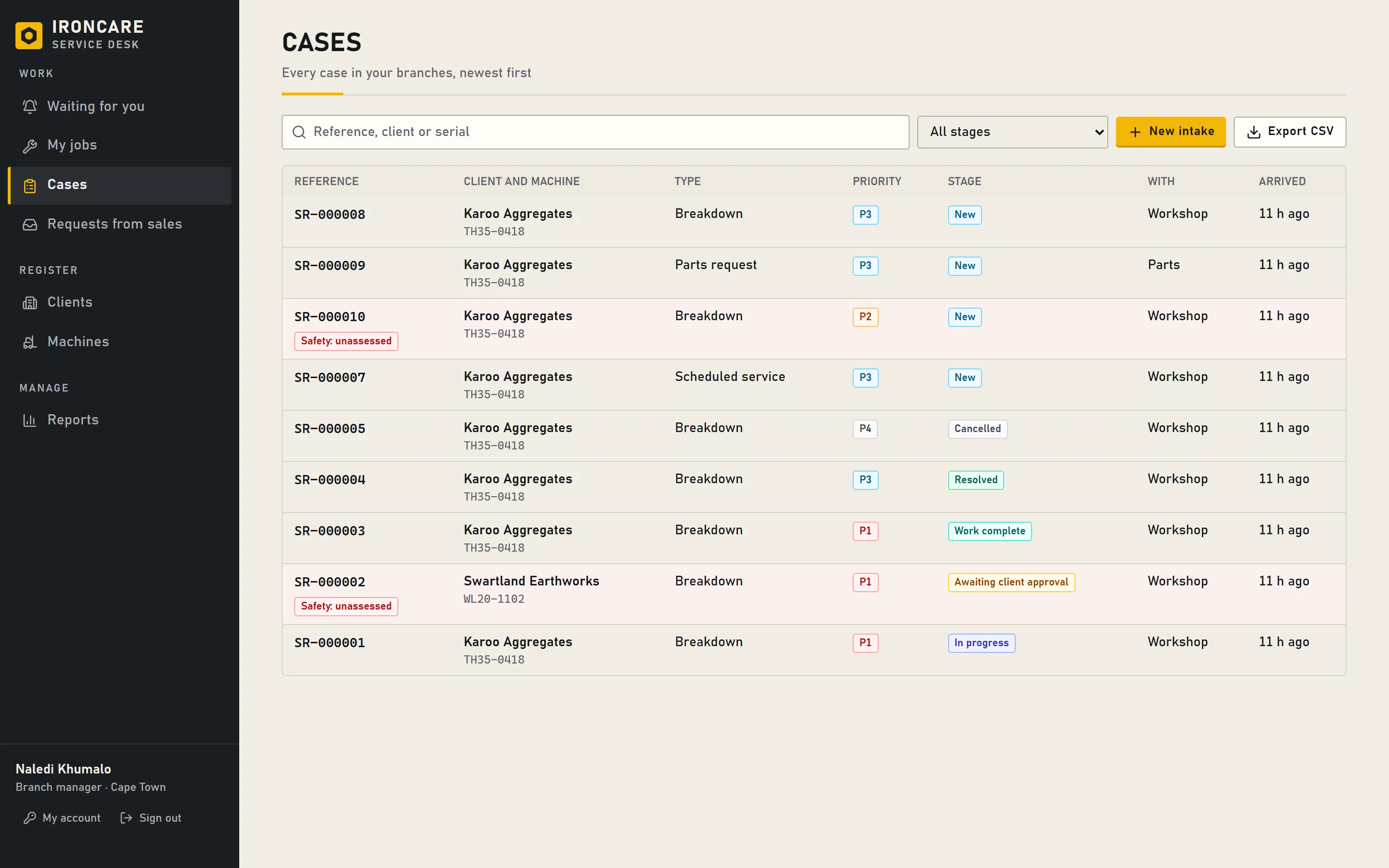
Every job starts as an intake: who reported it, how, when, and about which client and machine. The intake becomes a case with one Owner, and the arrival time starts its clocks.
- Intake by phone or walk-in, WhatsApp, email, telemetry, your client portal or a request from your sales team.
- Case types for breakdowns, scheduled services, warranty claims, parts requests, quotes, PDI and delivery, operator training, account queries, complaints, telemetry alerts and recall campaigns.
- Priorities P1 to P4, each with its own service targets.
- A case with no work done can be cancelled with a reason (a duplicate, withdrawn, raised in error); a closed case can be reopened with a reason, and the earlier closure stays in its history.
- Client disputes about a closed case are recorded and go straight to the branch manager.
- Cases move to another branch with a reason; the case list exports to CSV.
02
Work orders and handoffs
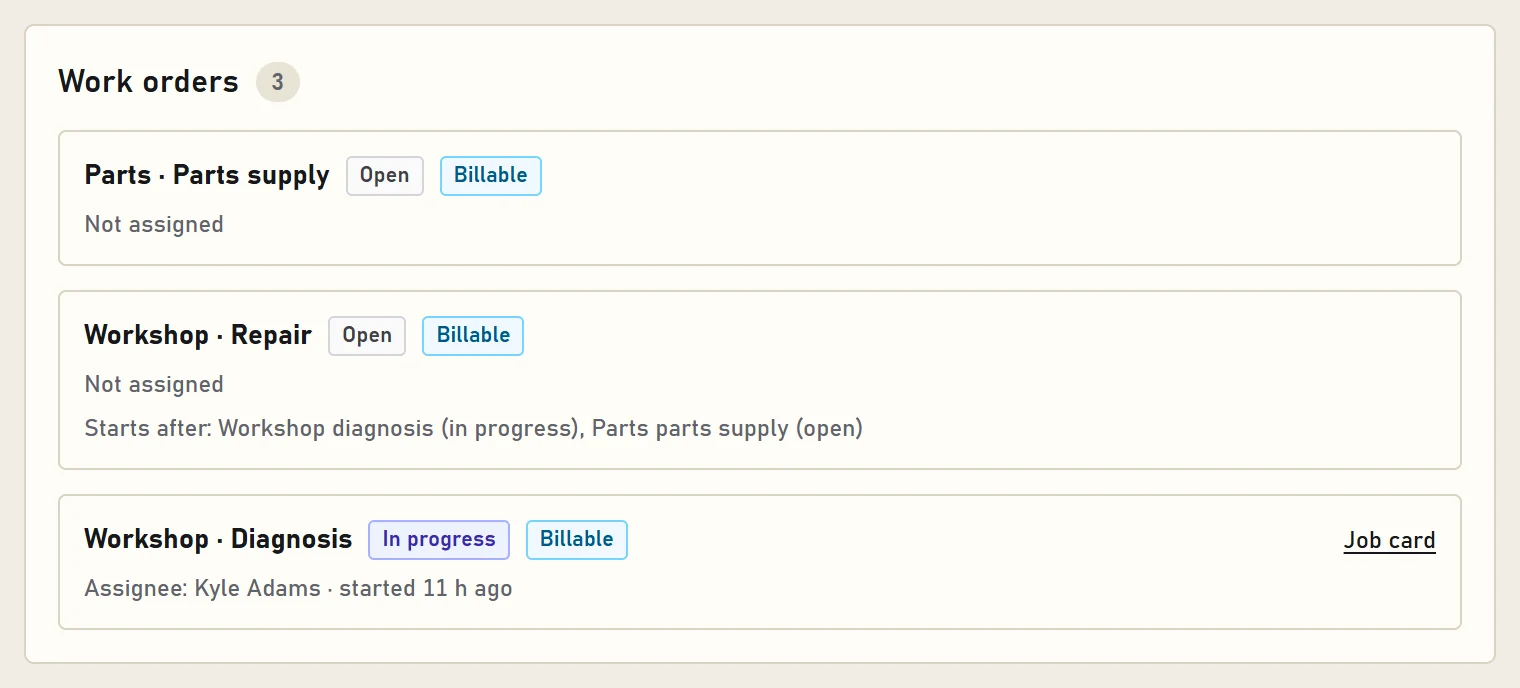
A case is split into work orders, one for each department that has work to do on it. Departments pass a case to each other by request and acceptance, so nobody is handed work they didn’t agree to take.
- Departments such as triage, workshop, parts, field service, sales and accounts, plus group desks like warranty and logistics.
- Each work order is billable or not, with its kind: diagnosis, repair, parts supply, field visit, inspection.
- Handoffs carry a reason and the next action; an unanswered handoff escalates on its own.
- When someone leaves, their open work is handed over and the new person acknowledges it.
03
Service targets and clocks
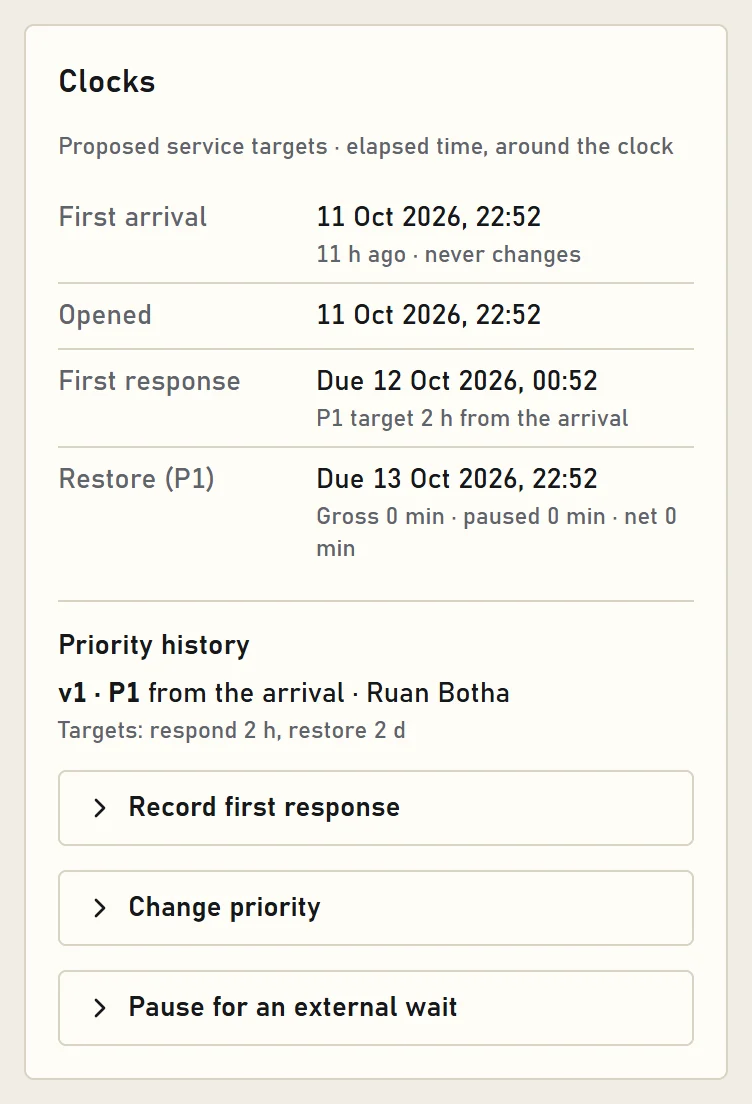
Each priority has a target to respond and a target to restore the machine. The clocks run from the arrival. A pause is only for a wait outside your company, needs a reason and evidence, and has a review time.
- Response and restore clocks on every case, with missed targets recorded.
- A priority change is recorded with its reason; the new targets apply from the change.
- Pauses from an approved list of reasons, with a maximum length; internal handoffs never pause the clock.
- A reopened case is measured from the reopening.
04
Safety first
A safety concern on a case stops the work until a competent person has assessed the machine. Until then, only diagnosis and inspection can start, and the machine can’t be confirmed restored.
- Anyone who works on cases can raise a safety concern; it shows to everyone who opens the case.
- Assessing it needs the safety right, and the outcome is recorded.
- A case with an open safety concern can’t be resolved or cancelled.
05
Quotes, credit and approvals
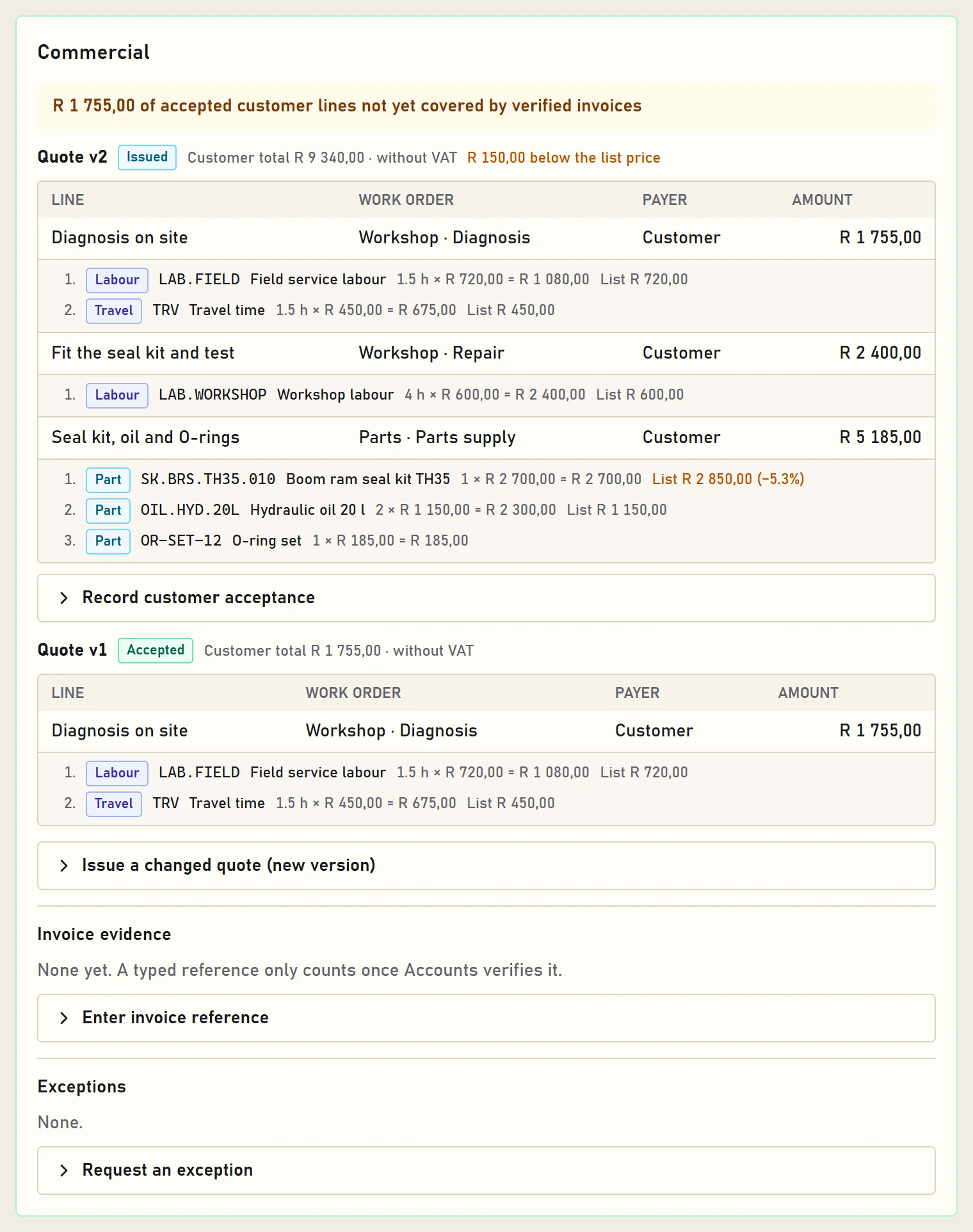
Billable work starts only once the client has accepted the quote. A client on credit hold needs an approved exception first, and approvals stay within the limits set for each role.
- Quote lines per work order, built from items: parts, labour, travel and other costs, each with quantity, unit price and list price; any discount shows.
- A changed quote is a new version; acceptance is recorded with the client’s reference.
- Credit terms and holds per legal entity; exceptions are requested by one person and approved by another.
- Approval limits per role, proposed by an administrator and approved by an executive.
- A case resolves only when its chargeable work is covered by invoices that Accounts has verified.
06
Parts on a case
Parts are asked for on the case with their urgency, then ordered with a supplier and an ETA, received and issued. Parts staff see what to do next in their own list.
- Requested, ordered, received, issued: every step recorded with who and when.
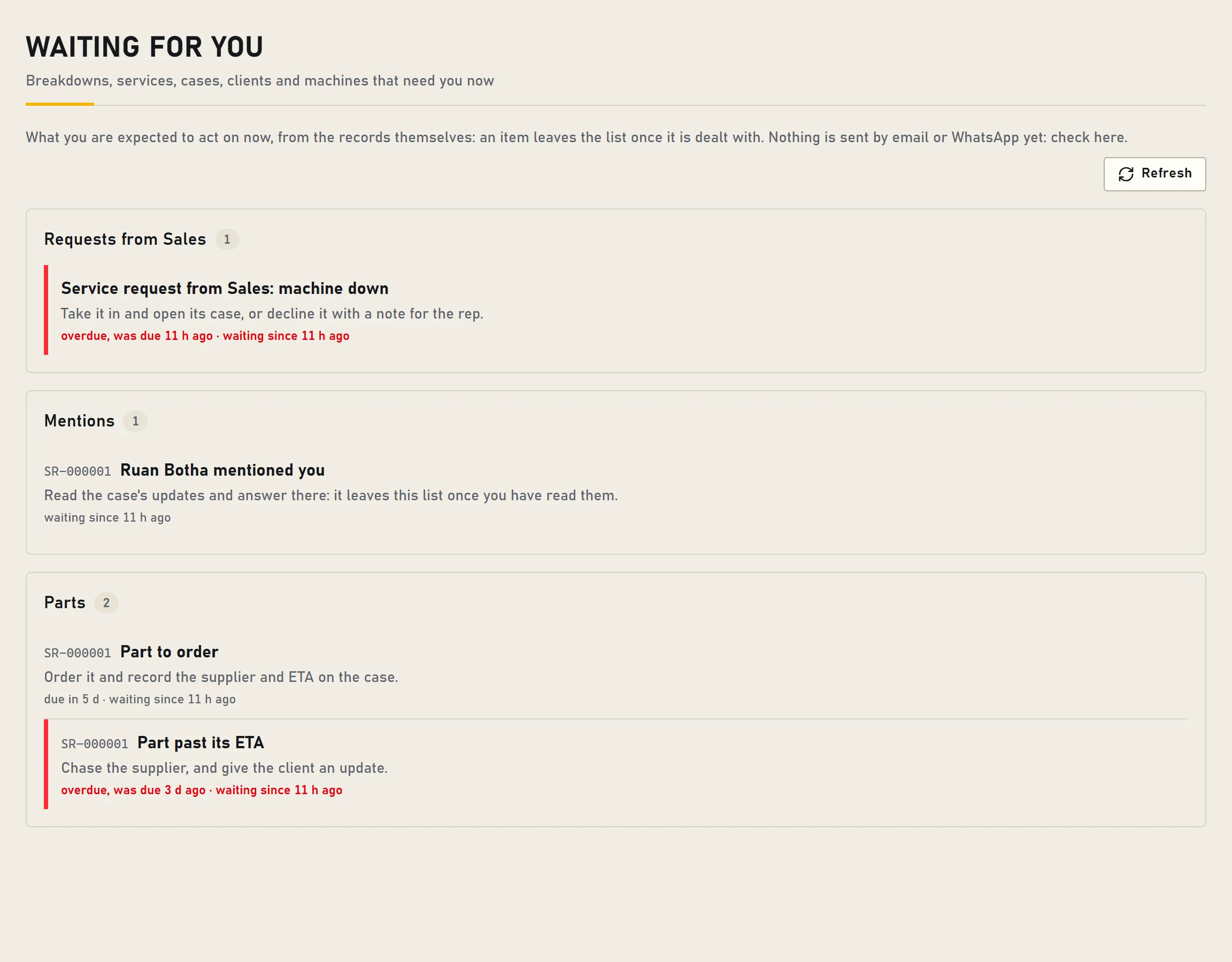
- A part past its ETA is flagged to be chased, with an update for the client.
- Parts picked from the catalogue keep its reference, so the quote can price them.
07
Job cards on the phone
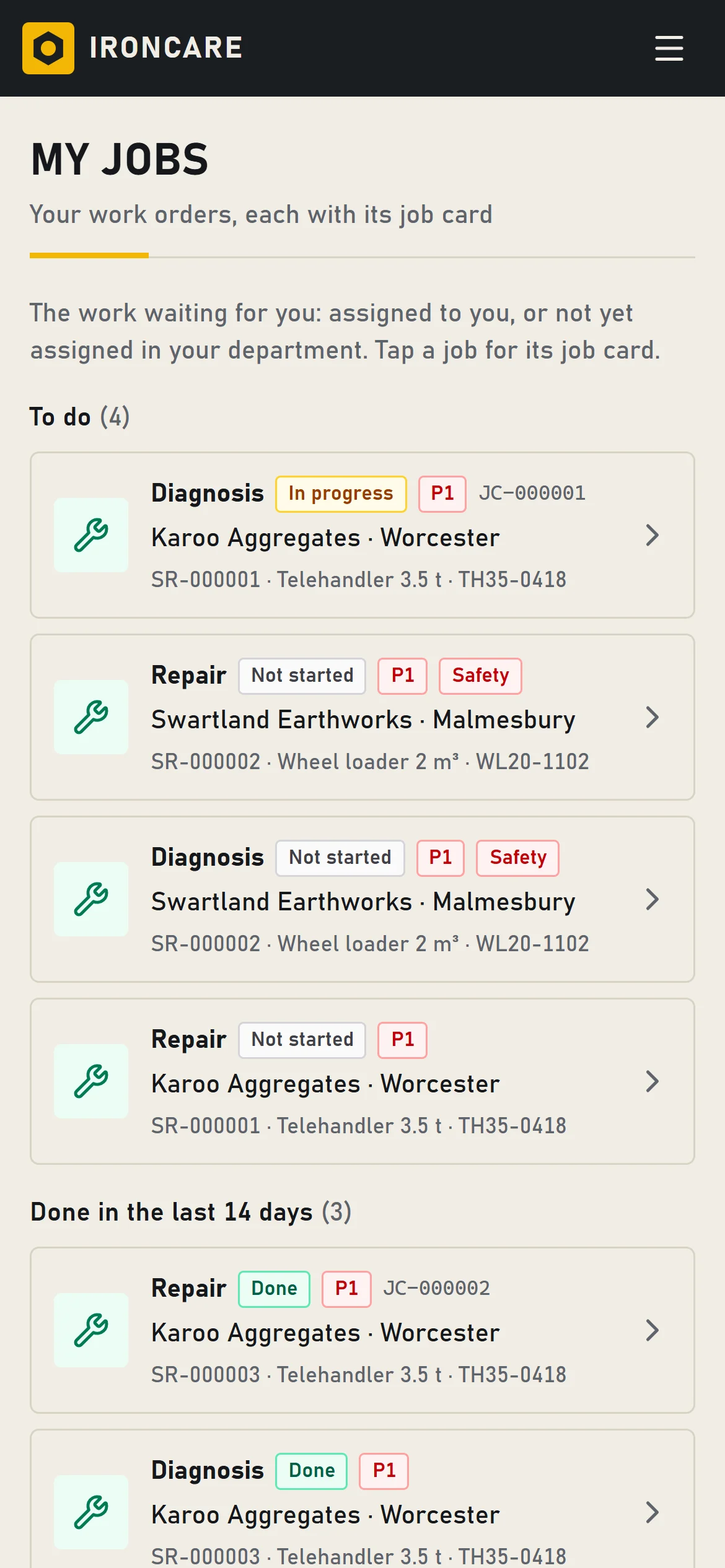
Every work order has a job card. Technicians open their jobs in the phone’s browser and record when they arrived and left, labour and travel, what they found and did, the parts used and the client’s sign-off.
- My jobs: what is waiting for this technician and what they finished in the last two weeks.
- Numbered job cards; once the client has signed, the job card is final.
- Every job card prints as a PDF.
08
Waiting for you
Each person has one list of what needs them now, taken from the records themselves: handoffs to accept, mentions, parts to order or chase, disputes to review and work that is overdue. An item leaves the list once it is dealt with.
- Updates on a case with @mentions, photos and PDFs.
- Background checks every minute escalate overdue handoffs, unacknowledged hand-overs and unreviewed disputes.
09
Clients and machines
One client list and one fleet register for the whole group. Each client has a home branch that keeps its contact people; each machine keeps its owner history and its cases.
- Seven profile checks per client show what is still missing.
- Contact people with their privacy notice and their consent to service updates.
- Accounts per legal entity: terms, credit limit and currency.
- Machines with serial, model, hours and location; status comes from their open cases; a change of owner is recorded with its reason.
- A checked import from a spreadsheet: nothing is written until you import exactly the file you checked.
10
Management reports
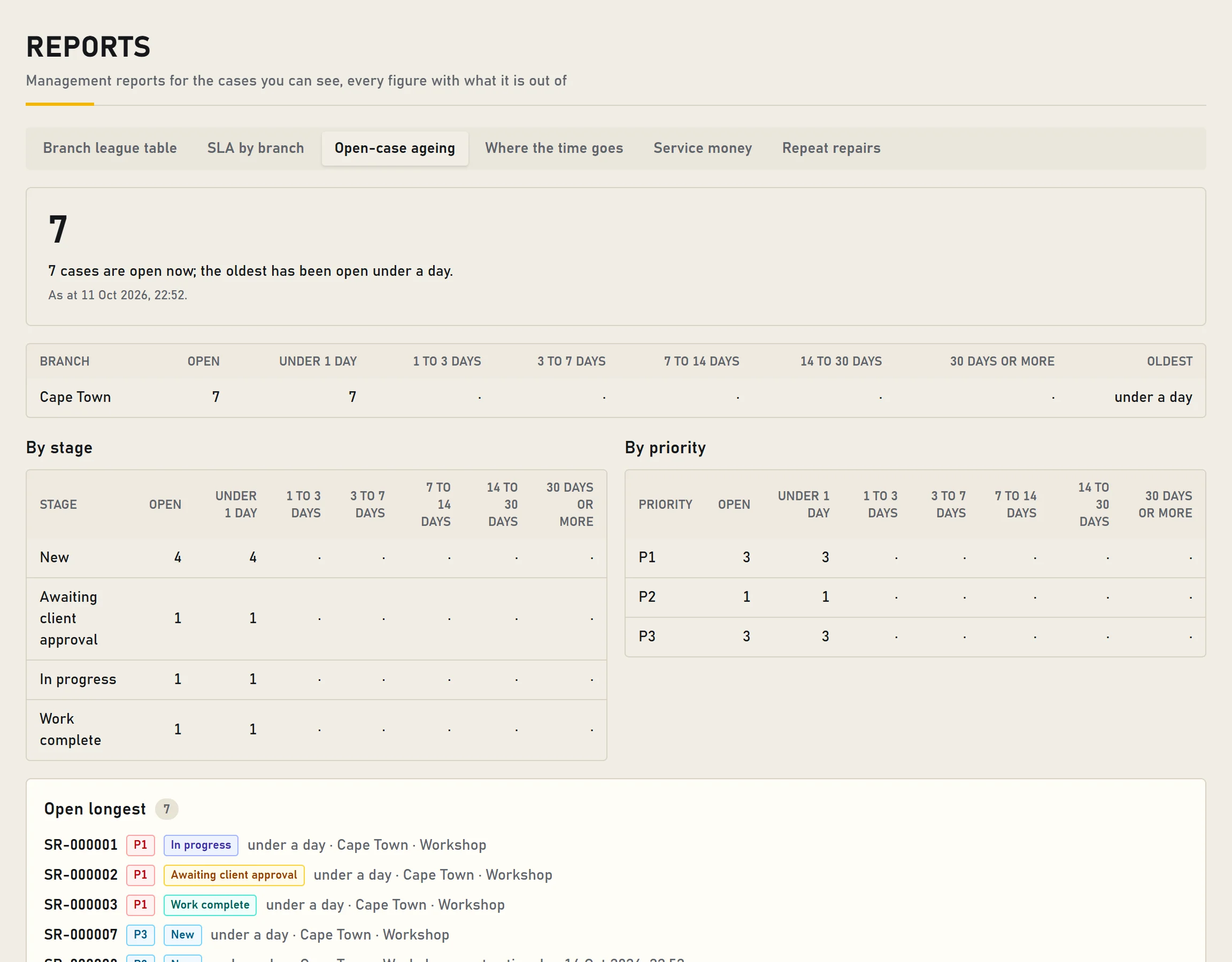
Six reports for the cases each person can see, every figure with what it is out of, and how it is counted written underneath.
- Branch league table and service targets by branch.
- Open-case ageing by branch, stage and priority.
- Where the time goes: how long each department holds a case, against its limit.
- Service money: ready to invoice, invoiced, closed without an invoice and overrides, per currency, for managers, Accounts and the credit controller.
- Repeat repairs: the rate with its denominator, and the earlier repair linked by a manager.
11
Administration
Administrators invite people, give and end their roles, add branches and propose approval limits. Every administrative change is logged.
- Invitations by a one-time link; people choose their own password.
- An authenticator reset needs a second administrator.
- Removing someone ends all their sessions at once.
- The admin log exports to CSV.
Early access
Bring us a breakdown. We’ll show you the route.
One of your own jobs, from the client’s call to the invoice, with your branches and departments. No slides.